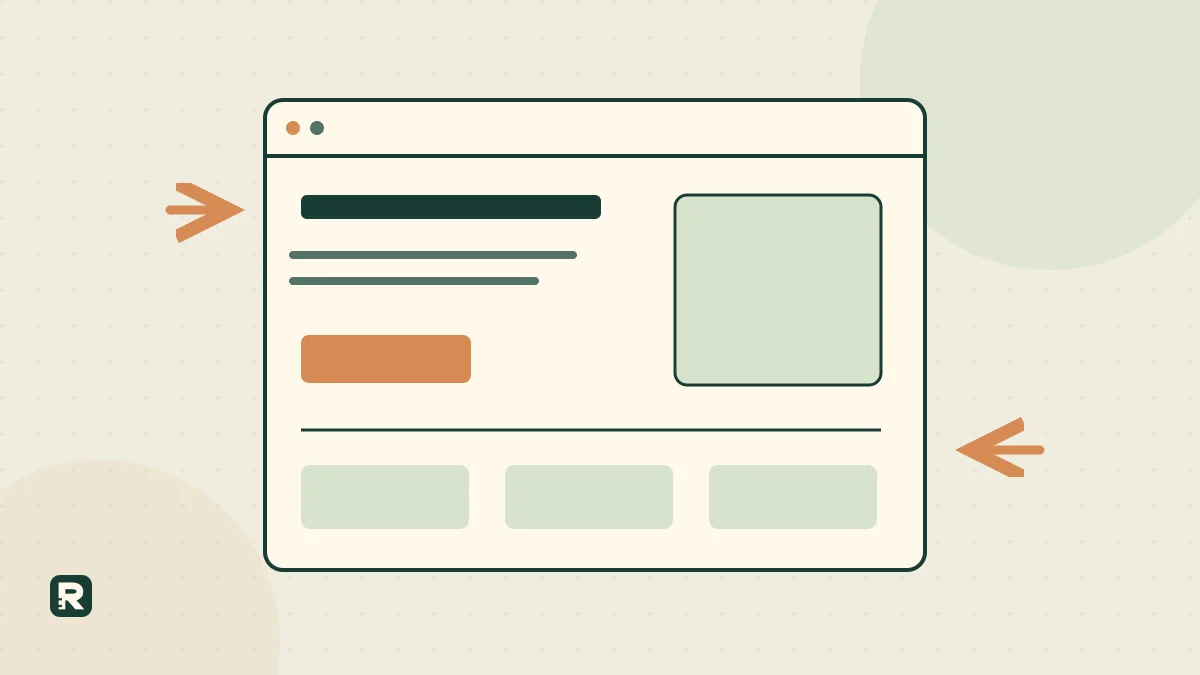
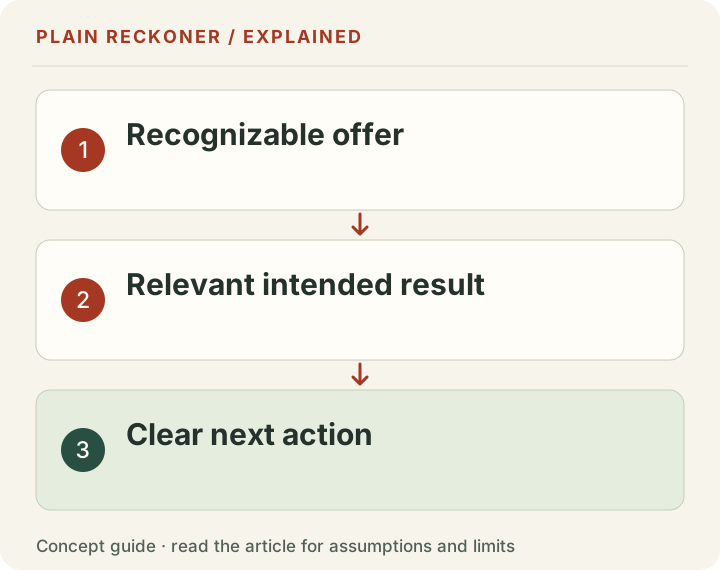
A small-business homepage should help a new visitor answer three questions: what do you offer, is it relevant to me, and what can I do next? Start there. Add evidence and details that help with those decisions instead of filling a page with everything the company could say.
The original examples below show how to draft the page for a service, a store and a software product. They are demonstrations, not real client campaigns or measured success stories. Adapt them to what you can actually deliver.
The free Homepage Planner helps turn your offer into an editable page outline. You can use this guide without the tool: take each section, write its purpose in the margin and remove anything that does not help the visitor make a sensible next decision.
Choose the page's main job
A homepage can introduce several services, but it still needs an organizing purpose. A local repair business may want suitable repair enquiries. A store may want visitors to compare relevant product groups. A software company may want users to inspect a working example before starting.
Write that job in ordinary words. “Generate engagement” is too vague to guide a design decision. “Help a nearby customer check whether we repair their type of bike and request an appointment” tells you which information must appear.
This does not mean every visitor must take the same action. Existing customers may need support or account access. Keep those destinations available, but avoid presenting every organizational department as an equally important first step for a new visitor.
Use a dedicated service or product page when the audience needs a more specific explanation. The homepage can direct the right person there rather than trying to persuade every possible customer with one very broad paragraph.
Draft the first screen as a complete small conversation
A practical first screen contains a clear heading, a brief explanation and an action whose meaning is obvious. An image can help show the product or outcome, but it should not be the only place the offer is explained.
For an original repair-service example, the heading could be “Bike repairs for daily riders in north Bristol.” The supporting line could be “Tell us what needs fixing. We will confirm the work we can offer and available appointment options.” The action could be “Ask about a repair.”
This wording makes a bounded offer. It does not promise immediate availability, a fixed quote or a particular turnaround unless the business can support those claims. A short paragraph can be persuasive precisely because it answers practical questions honestly.
On a small screen, check that the heading and action remain readable without squeezing them into a narrow decorative shape. The first screen is an entry point, not a requirement to fit the entire business into an arbitrary number of pixels.
Separate a heading from supporting copy
A heading should identify the section or main idea. Supporting copy supplies the conditions and detail. When both repeat the same vague promise, the page uses more space without helping the reader understand more.
Consider this original pair: “Better spaces, better living” followed by “We create exceptional spaces that transform your life.” Neither identifies the service. An alternative is “Fitted storage for small bedrooms,” followed by a plain explanation of measurement, design and installation coverage.
A heading can still have personality. The test is whether the surrounding content gives a reader enough information to interpret it. If someone must scroll through several sections before discovering what is sold, the opening has probably made the visitor do unnecessary work.
The W3C headings tutorial explains how headings communicate organization and support navigation. Use actual semantic headings in a logical structure. A large bold paragraph is not always an adequate substitute for a section heading in the page's markup.
Original store example: guide the product choice
Imagine a store selling refillable cleaning bottles and concentrated refills. A useful homepage heading is “Cleaning refills for small homes.” The supporting copy can explain which starter kits are available and what a returning customer should buy.
The main action might be “Compare starter kits.” A secondary action, “Shop refills,” serves people who already own the bottles. Those labels help readers choose between two real tasks rather than presenting a row of generic “Learn more” buttons.
A product section should identify what is included, the relevant size and the actual price basis. Do not use attractive but unsupported environmental claims as a substitute for the details a buyer needs. If evidence supports a material claim, link to it and state its scope.
An image should show the real product or be clearly identified as an illustration. Do not use a stock photograph that implies a different kit is being sold. Product choice becomes harder when the headline, picture and destination appear to describe different things.
Original service example: make the request predictable
Imagine a small bookkeeping service for freelance designers. A useful explanation might be “Monthly bookkeeping for freelance designers who want their records ready for review.” Supporting text can explain which records are handled and what the client still needs to provide.
The main action could be “Ask about monthly bookkeeping.” Nearby copy should state what happens after the request. If the service reviews suitability before providing a quote, say so rather than labeling the form as a confirmed booking.
A short process section might describe sharing the business context, receiving a proposed scope and agreeing a start date. Those steps should reflect the actual operation. Do not advertise a three-step process if the real journey includes several unexplained approvals and fees.
A suitable FAQ can address software compatibility, service coverage and how records are exchanged. Detailed regulated or tax advice belongs with a suitably qualified professional. The homepage should not imply that a general service description resolves every customer's legal obligations.
Original software example: show the task before the feature list
Imagine a product that tracks client approvals. A heading such as “See which client feedback is still outstanding” identifies a task. Supporting copy can explain that the product keeps requests, owners and approval status in one shared list.
A genuine interface preview can show an example project with clearly labeled example entries. The action “View a sample approval list” should lead to that sample. Do not promise a working demonstration and then require an undisclosed sales call before showing anything.
Features become meaningful when tied to the task. A due-date field matters because someone needs to know when feedback is expected. An export matters because a team needs to share a record. Listing integrations without explaining their use may not help a new customer decide.
Keep limitations visible. If a product does not send reminders or support a particular workflow, avoid wording that implies it does. A visitor who understands the limits can decide whether to continue; a visitor misled by a broad promise may only discover the problem after investing time.
Add proof that you actually possess
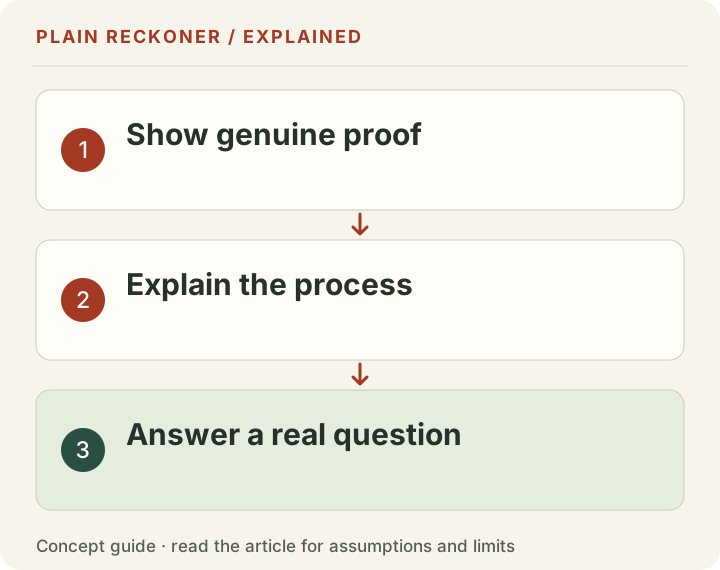
A proof section should answer a real uncertainty. A relevant certification can help establish competence for a particular task. A genuine screenshot can show how a product works. A permissioned customer account can describe what happened in that customer's circumstances.
Do not insert placeholder client logos, invented review counts or a satisfaction percentage without a documented basis. An attractive proof section becomes a trust problem if its evidence cannot be traced. “No customer results published yet” is a better starting point than a fabricated testimonial.
Use an example output when you cannot show a customer result. Label it as an example and explain the inputs. A sample repair assessment, product comparison or report can demonstrate the work without pretending that someone has already purchased or benefited from it.
Keep the claim and its support close enough to connect. A certification does not prove that every customer saves money. An isolated testimonial does not establish an average outcome. The purpose is to reduce a specific uncertainty, not to create an impression of universal approval.
Explain benefits without repeating a sales adjective
A feature says what is present. A benefit explains what the intended person can use it for. “Export to CSV” is a feature. “Take the records into your existing spreadsheet” explains a possible use, provided the export actually works with that workflow.
Write benefits as concrete tasks rather than guaranteed transformations. A stock worksheet can help compare quantities and costs. It cannot guarantee that a product sells. A booking page can make available appointments visible, but it cannot guarantee a suitable slot for every visitor.
Keep the list short enough to choose from. If every detail is described as essential, the reader has to perform the prioritization that the page should help with. Put the most relevant benefits near the first decision and detailed specifications where readers expect them.
Ask actual customers which details they need before choosing. Their answers can differ from the team's favorite features. Treat that difference as useful evidence rather than a reason to add louder wording around the existing list.
Use a process section to remove uncertainty
A process section should explain what happens, who does it and what the customer must supply. It is especially useful when an enquiry, assessment or custom quote precedes the service. Keep the steps accurate even if that makes them less tidy than a decorative sequence.
For a chosen custom-storage example, the sequence might be request a measurement visit, review a design and quote, then agree installation arrangements. If payment, permissions or lead times matter, explain them where they affect the decision.
Do not describe an internal step as a customer benefit without context. “Our team reviews your case” leaves open how long that takes and what is returned. A more useful sentence identifies the actual output and any supported expectation about timing.
This section should also distinguish what is not committed yet. A request is not an order, an estimate is not a fixed contract and a demonstration is not a guarantee. Clear boundaries can make the page calmer because the visitor knows what clicking will do.
Write forms as part of the page, not an afterthought
Ask only for information needed for the next step. A repair enquiry may need the type of bike, the problem and contact details. It may not need a full postal address before the business knows whether it can help.
The W3C form-instructions tutorial covers labels, required information and useful instructions. Apply those ideas to the actual form: visible labels, understandable formats and errors that help the person recover. A faint placeholder alone is not a dependable instruction system.
Explain what happens on submission. If a message goes to the team for review, say that. If payment is taken, make the obligation clear. A confirmation should tell the person the request was received without pretending that the service has already been approved or booked.
Test the whole form on a phone and with a keyboard. Copy quality cannot compensate for an obscured submit button, an inaccessible error or a confirmation that disappears before someone can read it.
Use StoryBrand as a structure to investigate
The official StoryBrand book page describes Donald Miller's customer-centered messaging approach. A useful application is to check whether the homepage focuses on the visitor's problem, the help offered and the next action.
That does not mean every page must follow one fixed visual pattern. A store comparing products, an emergency service and a long-consideration professional service have different needs. The same structure can be interpreted differently across mobile layouts, languages and assistive technologies.
The book's commercial anecdotes are not an experiment proving that your proposed layout will increase revenue. Use the ideas to create a coherent draft, then test the actual page with relevant people. Keep comprehension, completion and business outcomes as separate observations.
A useful page is not simply short. It gives enough information for the decision without making people fight through irrelevant material. Detailed methods can remain accessible through clear sections and links even when the opening is concise.
Review the page with a real task
Ask a likely customer to complete a realistic task, such as finding whether the service covers their need and explaining how to request help. Avoid telling them which button to use. Watch where they hesitate and record what they expected.
The GOV.UK usability-testing guidance describes observing people attempt specific tasks. That is a stronger practical check than asking whether the page looks good. A participant can like a design and still fail to find the relevant information.
Keep the observed task separate from the person's purchase decision. Someone can find the price and correctly decide it is too high for them. That is not necessarily a navigation failure. Conversely, a click on a large button does not prove the offer was understood.
Revise the specific obstacle, save the old version and check again. The result should be a more understandable journey from offer to evidence to next step. Use the Homepage Planner to organize that draft, then record actual responses in the Reader Check instead of declaring the page finished because its copy sounds polished.
Before launch, open every action destination yourself. Check that the page title, offer, price basis and requested commitment still match the words that led there. Consistency across the journey matters as much as an attractive opening.