Before changing your headline, check that suitable people reach the right page and can complete the enquiry. A website can receive visits without receiving many potential customers. It can also receive useful interest that is lost in a broken form or an unanswered inbox.
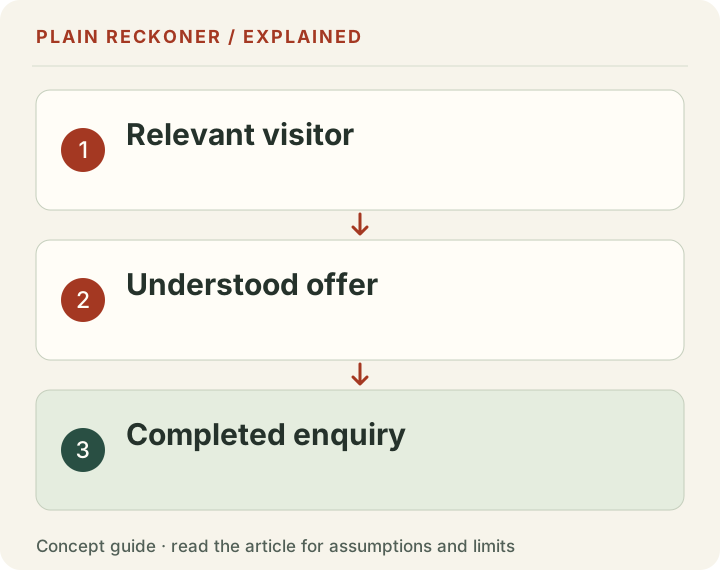
Work through the journey in order: relevant visit, understood offer, suitable next step, successful submission and useful follow-up. Record what you know at each stage and leave unknowns blank. Do not turn missing information into a zero.
The free Test Planner can help organize the question and next check. It cannot see your private analytics from a website address or predict how many leads a new headline will produce. The useful output is a specific investigation you can carry out.
Define what counts as an enquiry
A pageview is not an enquiry. A click on contact is not necessarily a submitted message. A submitted message is not necessarily a qualified opportunity, and an opportunity is not a completed sale. Give each stage a separate definition before comparing counts.
For a repair business, a qualified enquiry might concern a supported repair within its service area and contain a usable way to respond. For a professional service, the definition may include a relevant project and timescale. Choose criteria that reflect the business rather than excluding inconvenient results afterward.
Keep spam, duplicate messages and test submissions visible as separate categories. They do not belong in the qualified count, but removing them without a record can make comparisons impossible. If a form is attracting irrelevant messages, that is itself something to investigate.
Write the observation period too. Enquiries received this month can concern visits from an earlier month. A business with a long decision cycle should not assume that every outcome belongs to the most recent session.
Confirm that the measurement works
Submit a genuine test message through the public journey using a safe clearly marked test. Check the success screen, server or service receipt and the destination inbox. A confirmation in the browser does not prove that the team received the message.
Repeat on a phone and in the supported browsers. Try a valid input, a missing required field and a recoverable error. Check whether an error explains what to fix without deleting everything already typed. Keyboard navigation and visible focus matter as well as a clickable submit button.
Google's event documentation distinguishes interactions that can be measured as events. An event's name does not establish that its implementation matches your business definition. Verify whether a recorded form event means opening the form, attempting submission or successful receipt.
Use the same discipline if you rely on another analytics service. You do not need to install another listener just to begin diagnosing a page. Start with the existing permitted reports and a manual end-to-end check, then collect only the information needed for the decision.
Ask whether the visits are relevant
A large total can include automated requests, staff checks, existing customers, unrelated article readers or visitors outside the service area. The exact mix depends on the reporting system. A server-request count and a browser session count are not interchangeable measures of interested people.
Inspect landing pages, sources and geography where your available data supports it. Someone reading a general guide may be at an earlier stage than someone searching for a local appointment. Neither group is worthless, but expecting the same immediate enquiry rate can be misleading.
Search Console and site analytics describe different parts of the journey. Google's guide to using them together explains why their data can differ. A Search click does not have to appear as an identical number of measured sessions.
If relevant visits are scarce, a conversion redesign may not be the first bottleneck. Improve the fit between the question attracting visitors and the actual offer. Do not compensate for the wrong audience with more pressure in the form.
Use counts before comparing percentages
Consider chosen example figures: 200 relevant visits and two qualified enquiries. That produces a 1% enquiry rate under the stated definition. A later period with 300 relevant visits and three qualified enquiries also produces 1%, although the number of opportunities increased.
Now consider two enquiries from 20 visits. The rate is 10%, but the amount of evidence is small. The percentage alone does not establish that the second page is a better business opportunity or that the result will persist.
Keep the numerator, denominator and period together. If one report counts users and another counts sessions, do not compare them under one conversion-rate label. If you cannot identify relevant visits reliably, describe the limitation instead of labeling all visits qualified traffic.
Do not borrow an industry-wide conversion benchmark as a diagnosis. The offer, price, source, buying cycle and definition of success can differ. Use external comparisons to generate questions, then investigate the actual journey on your site.
Check whether people can identify the offer
Show the page to someone who plausibly needs the service. Ask what the business offers, who it seems to serve and what the person would expect to happen after clicking the main action. Record the answer before explaining your intention.
If they mistake a consultation for a software subscription, the page has a comprehension problem worth fixing. If they understand the service but do not need it, that is a different result. Do not treat every lack of interest as evidence that the heading is unclear.
The customer-centered approach in Building a StoryBrand 2.0 offers a useful prompt: connect the message to the customer's problem and desired outcome. That is a writing approach to test, not proof that a particular rewrite causes sales.
Use the Offer Builder when the category, audience or benefit is unclear. Keep the existing wording and reader responses so the reason for the revision remains inspectable. Avoid replacing every page at once before learning what actually confused people.
Check suitability and the questions people need answered
A visitor can understand an offer yet be unable to decide whether it fits. Service coverage, availability, price basis, minimum commitments and important exclusions can all matter. Hiding those details may increase clicks while producing less useful enquiries.
For an original local-service example, the page might clearly advertise garden maintenance but fail to state the area covered. Visitors from elsewhere can submit requests the business cannot fulfil. Making coverage clear could reduce total enquiries while improving their relevance.
For an original software example, an integration requirement may determine suitability. If that requirement appears only after a sales call, the page has deferred an important decision rather than helped the visitor make it.
Collect the questions your team repeatedly answers. Publish the relevant information in understandable language and keep it current. Do not add a long generic FAQ solely to make the page look complete. Each answer should resolve a real uncertainty in the journey.
Match the action to the visitor's readiness
“Get started” can mean opening a free example, creating an account, requesting contact or paying. A visitor should not have to click merely to discover the commitment. Choose an action label and nearby explanation that describe what actually happens.
A person investigating a complex service may reasonably want to see an example or understand the process before requesting contact. Providing that route does not mean abandoning the commercial action. It means helping the visitor reach it with an informed expectation.
The CTA Lab can help compare two action drafts and their expected outcomes. A lower-commitment action is useful only if it genuinely helps. Do not disguise a mandatory sales conversation as a free report that never appears without a call.
Check the destination as well as the label. A button promising appointment options should show options or clearly explain the request process. A broken or mismatched destination cannot be fixed by a more exciting word on the button.
Reduce form friction without removing necessary context
Ask for information needed to make the next step useful. A website field may help review an existing page. A company registration number may be unnecessary for a first conversation. Explain sensitive or unusual requests rather than assuming the reason is obvious.
The W3C form-instructions guidance covers required fields, formats and accessible instructions. Visible labels and understandable errors help people complete the form. A minimalist appearance is not useful if visitors cannot tell what is required.
Test typing and selection on mobile, including longer names and non-English characters. Check that browser autofill does not place information into the wrong field. Avoid rigid validation that rejects a legitimate contact simply because the input differs from the team's preferred format.
Keep the confirmation useful and calm. State that the request was received and what happens next. Promise a turnaround only when the team can actually meet it. A dramatic success animation is secondary to a reliable message and a clear recovery path if submission fails.
Check the response after the website has done its job
An enquiry can arrive successfully and still fail operationally. It may go to an unmonitored address, land in spam, lack an owner or receive a response after the customer's decision window. Those are business-process problems, not evidence that the homepage needs another redesign.
Keep an appropriate record of received enquiries, response status and outcome without collecting unnecessary sensitive information. Compare the team receipt with the website's successful-submission count. Investigate differences before using either number as a complete picture.
Do not interpret every unclosed enquiry as a bad lead. Price, timing, capacity and competition can affect the outcome. Record the reason when it is known and leave it unknown when it is not. Guessing that every lost opportunity wanted a lower price can lead to damaging decisions.
A clear response process can also improve the page. If the team needs a specific project detail to help, ask for it at the appropriate stage and explain why. The goal is a coherent handoff, not the shortest form at any cost.
Choose one next investigation
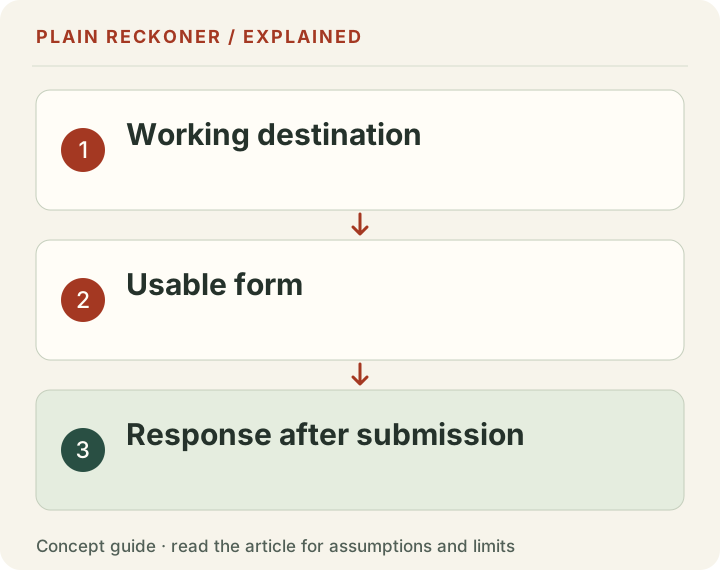
If the form fails, fix it before testing copy. If relevant traffic is unknown, inspect the available data and landing-page fit. If readers misunderstand the offer, run a reader check. If they understand but cannot complete the task, observe the actual interaction.
The GOV.UK moderated-testing guide describes watching participants attempt specific tasks. Use a realistic goal rather than instructing them to press the exact button you want to validate. The hesitation and wrong turns can reveal the issue.
Write a small protocol: question, current evidence, proposed change, outcome, period and limitations. Decide what would count as useful evidence before looking at the result. Avoid changing the offer, price, traffic source and page simultaneously if you want to learn about a specific message change.
A small website may not have enough traffic for a credible conversion experiment quickly. Interviews and observed tasks can still identify concrete problems. Do not manufacture an automatic winner from a handful of visits merely because a tool can calculate two percentages.
Review the outcome without overclaiming
After the investigation, separate what changed from why you think it changed. A higher enquiry count after a rewrite is an observation. Attribution requires attention to traffic, seasonality, offer changes and the comparison design.
Keep qualified enquiries and business outcomes alongside the website actions. A new button may generate more contact clicks but fewer suitable requests. That is why the useful target is the completed relevant action, not whichever intermediate number moves fastest.
If the evidence remains inconclusive, state that and choose a smaller question. You may still have learned that the form works, that the audience differs from your assumption or that readers need a specific missing detail. Those are useful findings without a universal conversion claim.
Use the Test Planner to record that next question. The aim is not to find one magic headline. It is to identify the actual missing step and make the customer's journey more understandable, reliable and relevant.
Worked diagnosis: the same total can hide different problems
Imagine two service websites, each with 1,000 recorded sessions and five submitted requests during a chosen period. These are demonstration inputs. The identical overall rate does not mean the same change is appropriate.
For site A, a review finds that most visits land on a general informational guide from countries the business does not serve. Its contact journey works, and suitable readers understand the service. A useful next investigation concerns audience and destination fit. Replacing the submit button is unlikely to resolve the main mismatch identified so far.
For site B, relevant visitors reach the service page, but a mobile test reveals that a required field is covered by another interface element. Some requests never complete. The next action is to fix and verify that obstruction, not to buy more visits into the broken journey.
The two cases illustrate how diagnosis changes the decision. Neither proves that the proposed action will increase profit, and neither requires assuming every unconverted session was a potential customer. The evidence narrows the practical problem.
Write your own version of this exercise using only known facts. Put an unknown label where the data is absent. Then choose the cheapest responsible check that can distinguish the plausible explanations. That gives the team a useful next step without pretending that one aggregate rate contains the whole answer.